The Problems
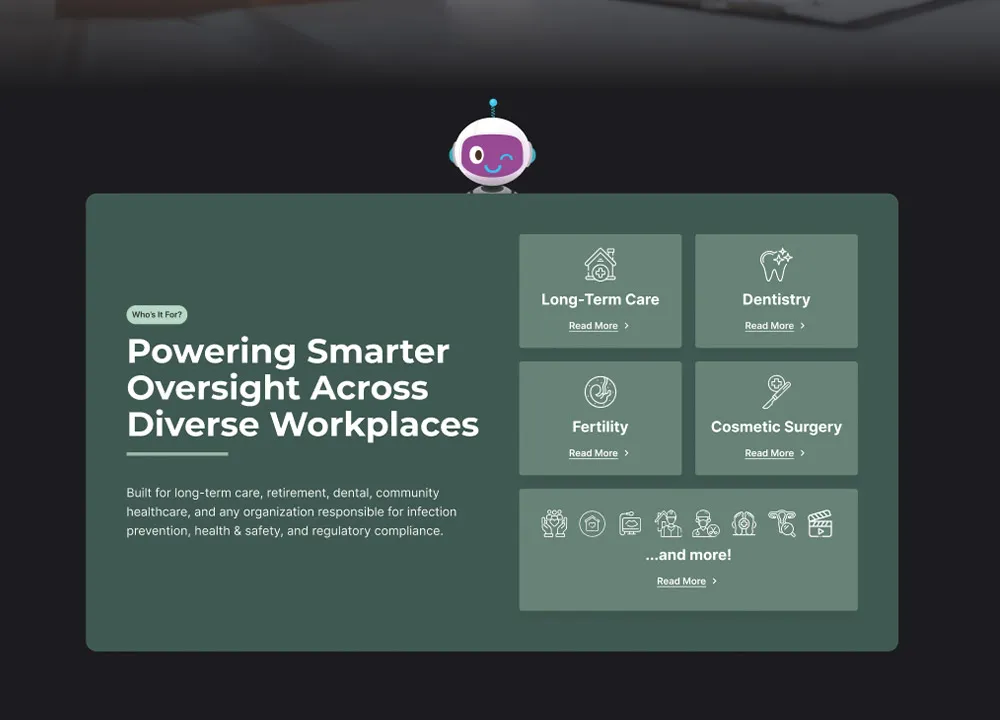
Long-term care homes, dental clinics, and other healthcare facilities face significant challenges in managing IPAC protocols:
- Limited access to on-site IPAC experts
- Disconnected tools for training, auditing, and policy management
- Time-consuming paper-based compliance workflows
- Lack of oversight across multiple facilities or teams
The COVID-19 pandemic exposed the fragility of these systems, creating urgent demand for a digital-first solution.
The Opportunity
Through direct client feedback and consultations with healthcare administrators and IPAC leads, IPAC Consulting identified a market gap: most facilities didn't have solid systems in placefor infection prevention management. Many only took IPAC seriously after being audited and cited for compliance issues.
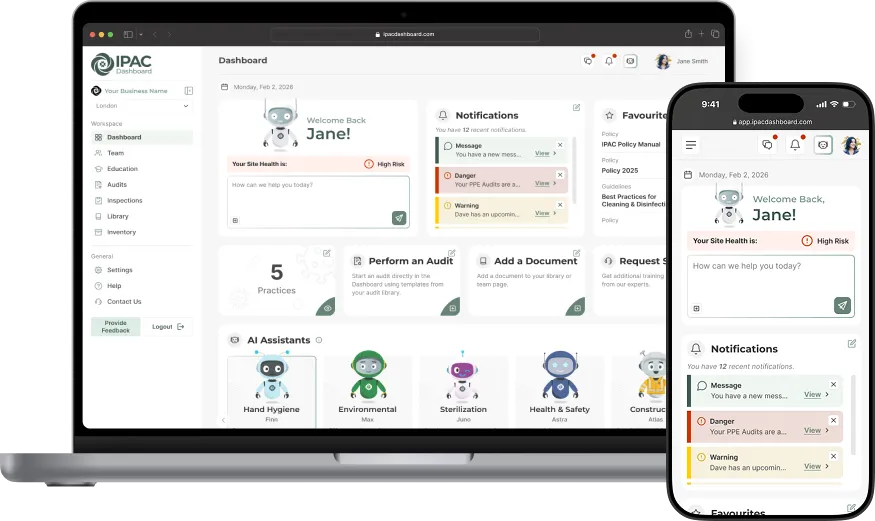
The vision was to create a comprehensive platform that would centralize audits, training, employee management, and best practices - enabling facilities to manage compliance efficiently while allowing IPAC Consulting to provide expert oversight remotely at a fraction of traditional consulting costs.
I was brought on to design this platform from the ground up, defining user flows, building the design system, and creating an interface that would give facilities without on-site IPAC staff the oversight they had previously relied on consultants to provide.
“The dashboard has been great — really easy to navigate and very user-friendly!”
- Niki, Dental Patient Coordinator at Smile Design
Process
Research & Ideation
Working closely with IPAC professionals, I translated real-world compliance challenges into design requirements. I conducted audits of competitor dashboards, studied clinic workflows, and identified friction points such as cluttered UIs and inconsistent design.
Because the project began with a wide open scope, I shaped the initial designs with a fresh perspective - building something comprehensive rather than iterating on limited existing solutions. Ideation was continuous, with features informed by practitioner expertise and observed user needs.
Wireframes & Flow Mapping
I created wireframes to establish the platform structure and key journeys like team management, audits, and the document library. We mapped detailed user flows for different roles - including client-specific and admin views - to ensure each interaction was optimized for efficiency.
Design System
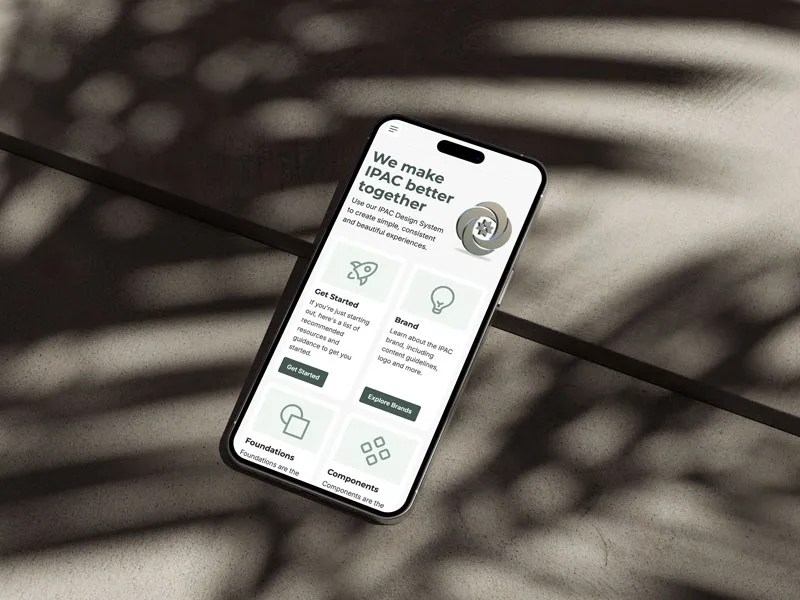
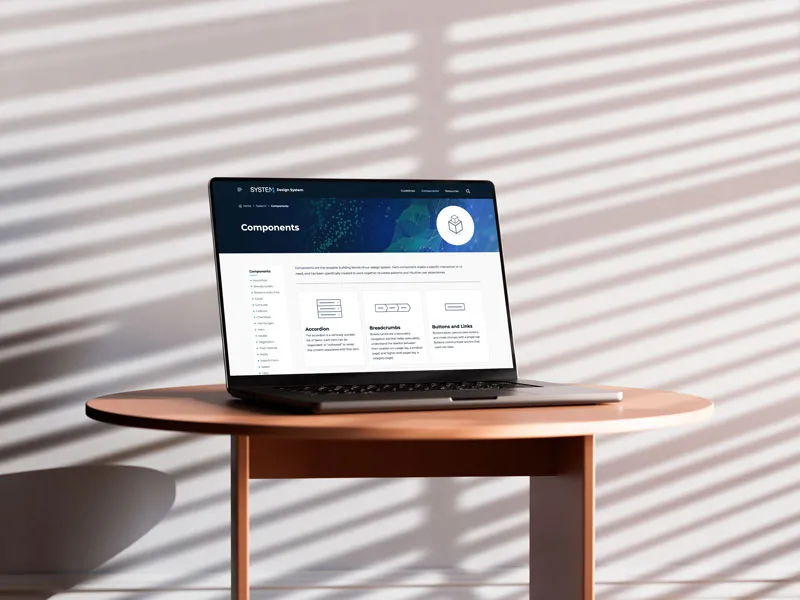
I built the design system in parallel with UI design, ensuring consistency, accessibility, and faster iteration as the dashboard expanded. I created both the Figma library and documentation website from scratch, designed to scale across all IPAC properties.Read more here.
UI & Prototyping
I led all design efforts for the application and marketing site, exploring layouts that reduced visual complexity for users who aren't daily software users — clinic staff, not IT teams. I delivered interactive prototypes showcasing core flows — dashboard overview, audit creation, and the document library — helping secure IRAP funding and stakeholder confidence.
Testing & Validation
I conducted usability testing with 6+ IPAC consultants within our company. As practitioners who work directly with clients and would use the platform daily, their feedback was invaluable in refining terminology, identifying missing workflows, and validating that workflows mapped to how audits are actually done in the field.
We also implemented a feedback form on the dashboard, reviewed analytics and heatmaps, and gathered input from clients to continuously improve the experience.
Implementation & Growth
I'm working closely with developers and managers to build the platform in phases, reviewing front-end code and ensuring design alignment. After each release, we run targeted usability checks and QA to validate that performance and interactions match the original design vision.
Because marketing is fundamental for growth, I'm also leading design for the marketing site and supporting the team with e-blasts and social media content.
“Stephen worked quickly, communicated clearly, and helped us align on priorities under tight deadlines. His process & design system made development so much faster.”
– Cameron Arnold, Developer
Key Features
Here are a few highlights from this multi-year project.
 AI Integration
What is it?
AI integration became a central focus early in the project.
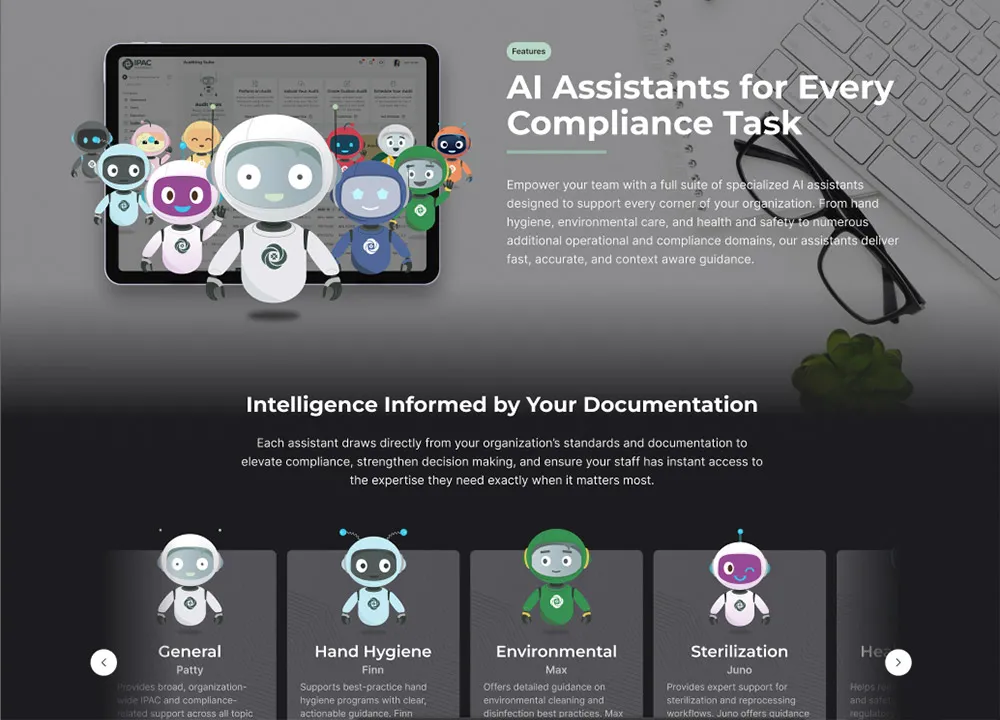
AI-powered assistants provide instant, accurate answers to IPAC questions and help teams navigate complex policy documents.
Specialized assistants cover hand hygiene, environmental care, health and safety, and other compliance domains. Each assistant draws directly from your organization's standards and documentation to strengthen decision-making and ensure staff have expert guidance exactly when needed.

Problems
- Growing need for AI-powered compliance support.
- AI tools often feel impersonal and difficult to trust.
- Early versions limited AI functionality to the library page only.
Solutions
- Collaborated with developers to build an AI messaging system powered by ChatGPT that draws from company and user-uploaded documents.
- Designed friendly AI mascots tailored to specific IPAC topics to make the platform more approachable and trustworthy.
- Expanded AI access across the entire platform — from the landing page and header to every dashboard page.
Key Decision: Document-Only vs. Web Search
Early on, I had two paths for the AI's knowledge source. Option one — draw exclusively from the client's own verified documents. Option two — also allow web search, which would make the assistant feel more powerful and cover questions our docs didn't.
I prototyped both and tested them with our internal consultants. The document-only version gave reliable, verifiable answers. The web search version returned inconsistent results — sometimes flat-out wrong — and users couldn't easily tell the difference without manually checking.
In healthcare compliance, a wrong answer isn't just annoying — it's a legal issue, a patient safety issue, and it destroys trust. So I made the call tocut web search entirely and go with the smaller, more reliable feature. The principle I took away: trust over feature completeness. A smaller feature that works every time is more valuable than a powerful one people can't trust.
Design Evolution
In early designs, I focused on bringing AI into the library page to solve policy management: one place to store policies, guidelines, and MIFUs with an assistant that could answer questions from those documents. I paired this with a character-based assistant instead of a generic chat icon to make the experience feel more approachable for busy clinical staff.
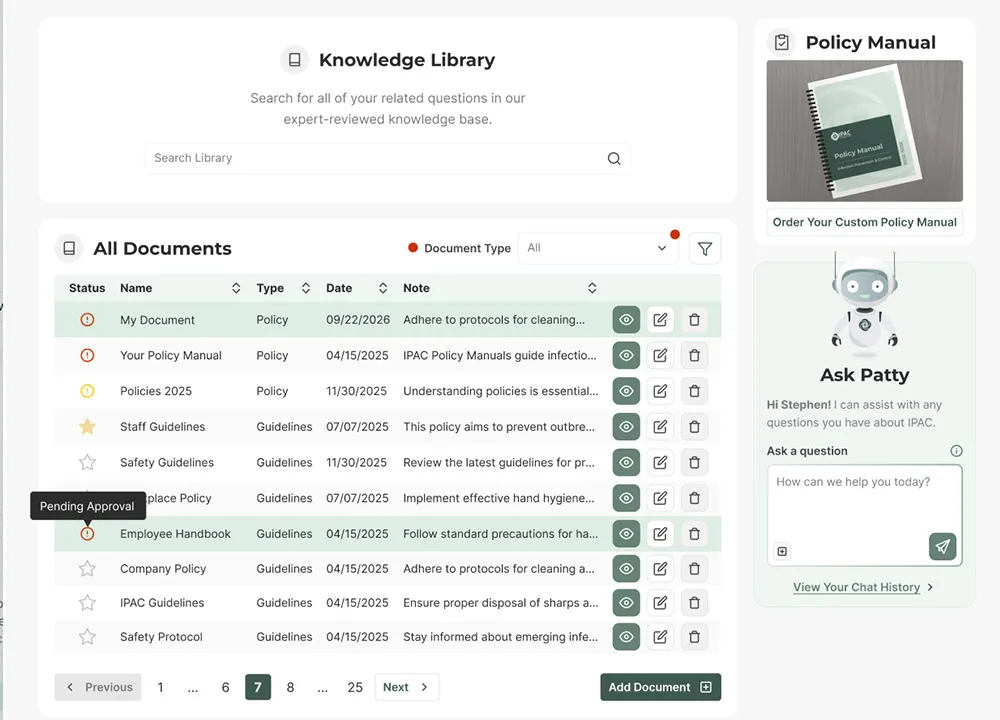
Positive feedback on this first version showed that people relied on the assistant for quick answers, so I extended AI across the dashboard, starting with the landing page and a persistent header button so help is always close at hand.
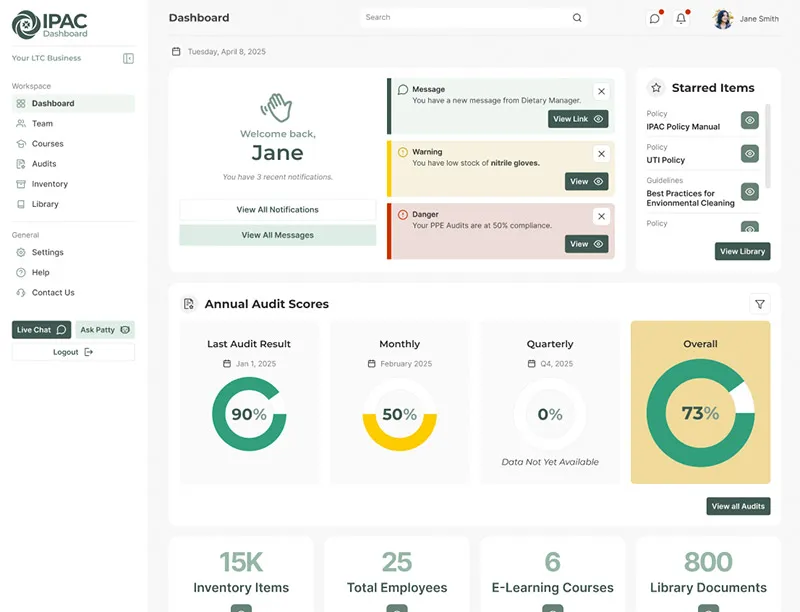
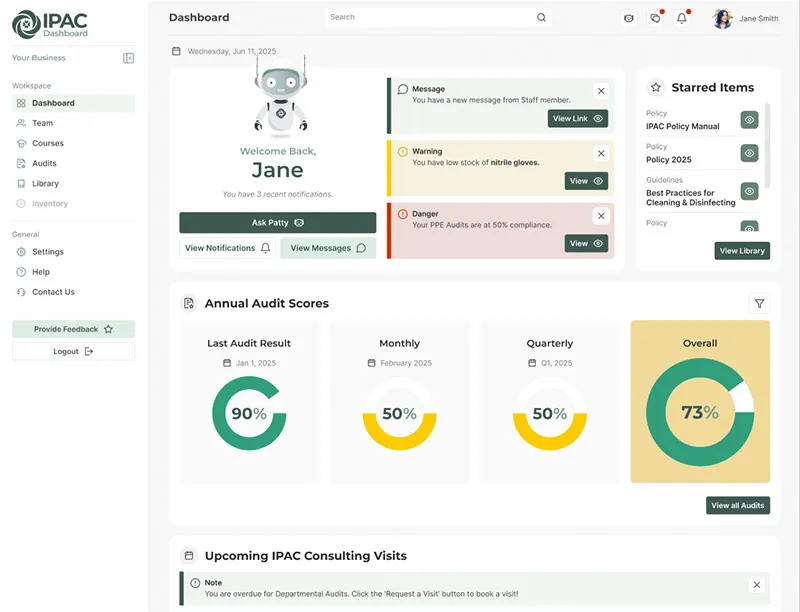
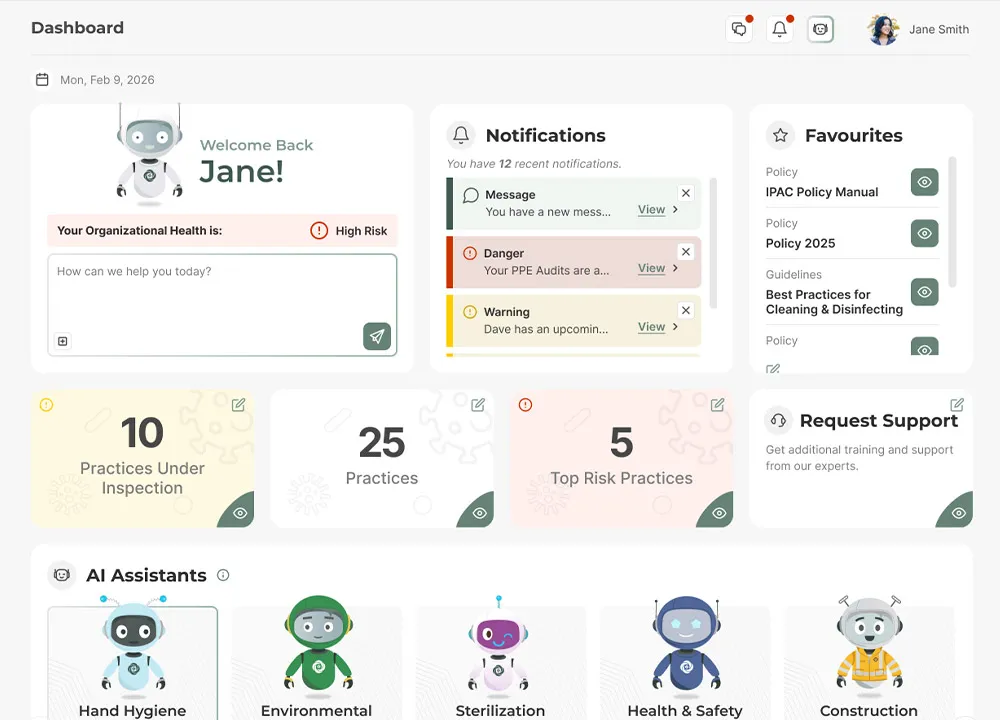
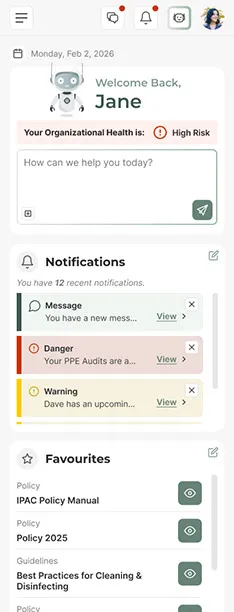
Each assistant draws exclusively from uploaded documents in the organization's knowledge library, including policies, manufacturer instructions for use (MIFUs), and regulatory guidelines. When users ask a question, the AI searches these documents and provides answers with direct citations to their source. Powered by ChatGPT, the system deliversfast, reliable, and contextually relevant guidance that teams can trust.
Outcome
AI became the highest-rated feature on the dashboard. When we demoed it at healthcare conferences, attendees consistently told us it would save them meaningful time and was something they'd actually use day-to-day.
 Auditing Suite
What is it?
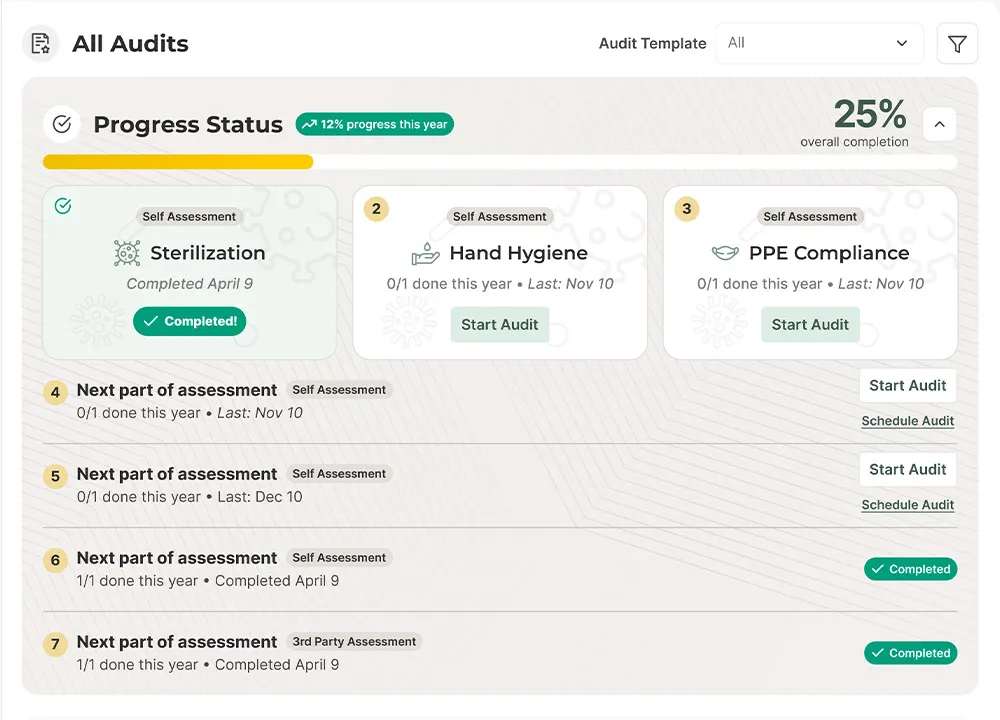
An IPAC audit involves infection control specialists assessing a healthcare facility's safety practices and providing recommendations to meet compliance standards.
The auditing suite digitizes this process, allowing teams to conduct audits, track results, and receive clear next-step guidance all in one platform.
Before the auditing suite existed, consultants were auditing clients' business either on paper, or using an Excel file. So we created a page where all of it could be delivered digitally using forms, and stored within the Dashboard. We could display audit results using charts, and keep track of compliance history over time.
Problems
- Paper-based audits were time-consuming and difficult to track over time.
- No ability to create custom audits tailored to specific facility needs.
- Usability testing revealed users had difficulty locating audit tools in the interface.
Solutions
- Digitized audit workflows with centralized tracking and document management.
- Built an intuitive template builder for creating custom audits.
- Redesigned navigation and added onboarding based on testing feedback.
Design Evolution
As the auditing suite grew, long pages made it hard to find key tools. I introduced a left-hand sub-navigation so clients can jump between sections quickly instead of scrolling through dense screens. The most important features of this page live in the tools menu, so users can find them without scrolling. I also placed the most important data at the top of the page, audit performance and daily performance, since those are what our clients want to view most.
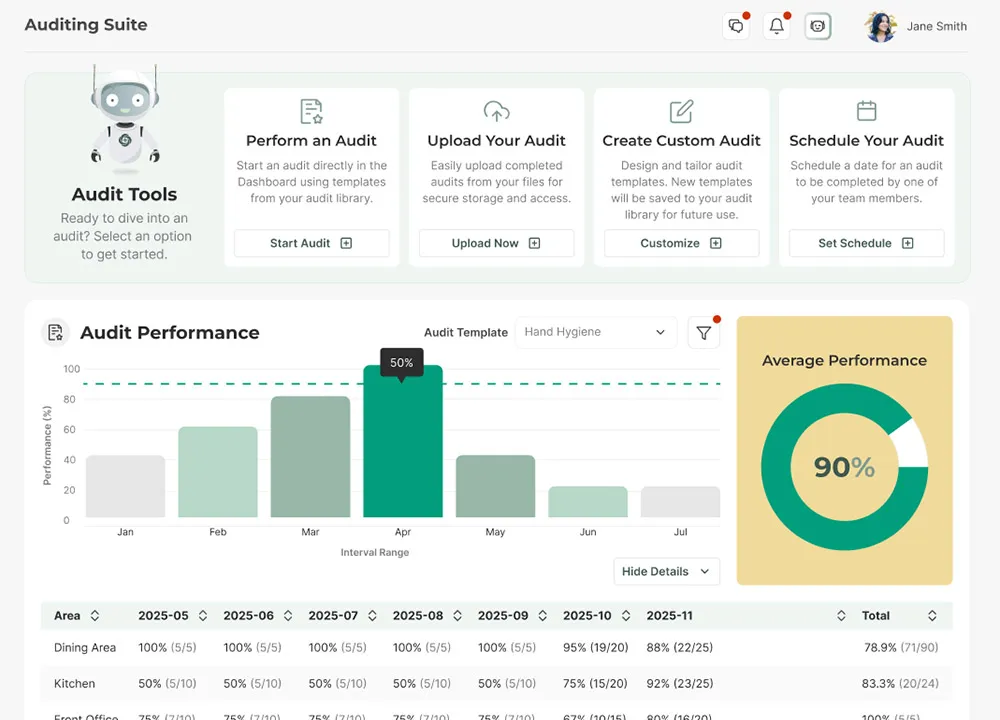
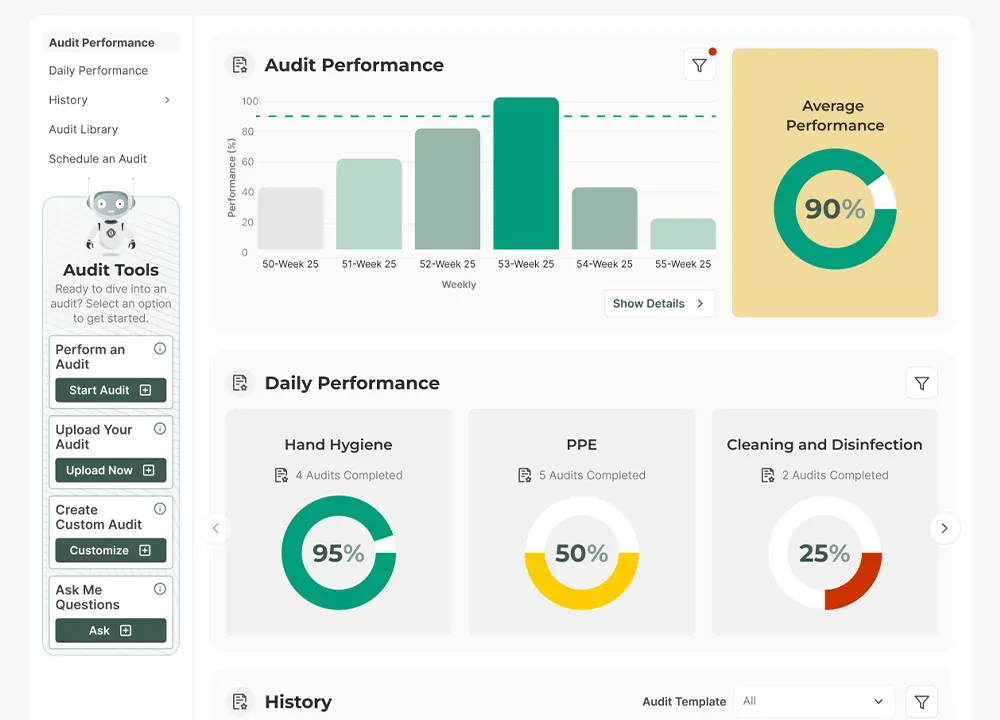
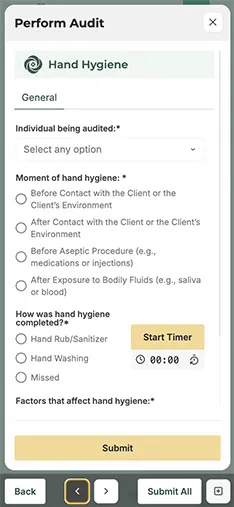
I designed audits to open in a side panel so people can compare data across multiple audits while keeping the main dashboard in view. Testing showed that performing one audit at a time was too slow, so we added support for multiple concurrent audits on desktop (with a swipeable carousel on mobile).
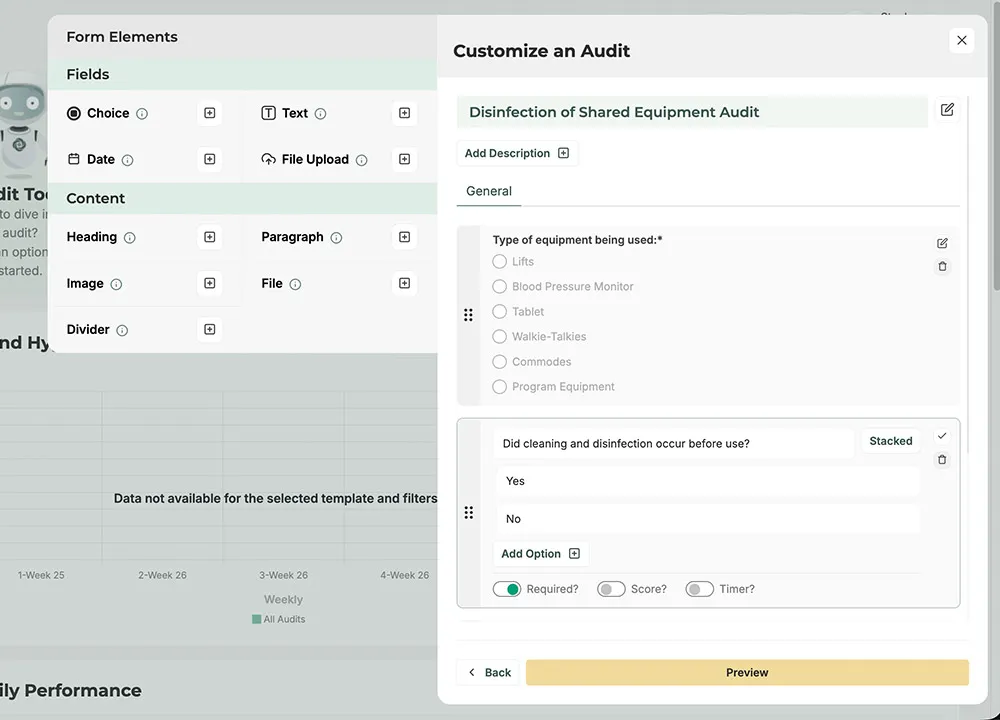
I collaborated with the lead developer to design a template builder that allows users to create custom audit templates from scratch. Once built, these templates can be performed by the user or distributed across their team. This solves the issue of clients not having a way to create audits suited for their own needs (previously only predefined templates were available).
When designing this tool, we looked at form builders like Google Forms and aimed for that same simplicity. Fitting everything into the small panels we had was a challenge, so I added a second panel for adding field types, which saves alot of space in the main panel. It's easy to add fields and edit the whole form to fit your needs.
 Executive Features
What is it?
Executive features adapt the dashboard based on role and industry, giving leaders a clear single source of truth. Executives can track compliance across all sites or drill into a specific practice, while site leads and team members see the details they need to act.
Problems
- Executives had limited visibility into compliance performance across multiple sites or business units.
- Reviewing spreadsheets and static reports made it hard to quickly spot high‑risk areas or trends over time.
Solutions
- Role-based executive dashboards surface key metrics at a glance, including overall compliance scores, highest-risk sites, and overdue actions.
- Filters and drill‑down views make it easy to move from a high‑level overview to specific sites, teams, or issues so leaders can act quickly.
Design Evolution
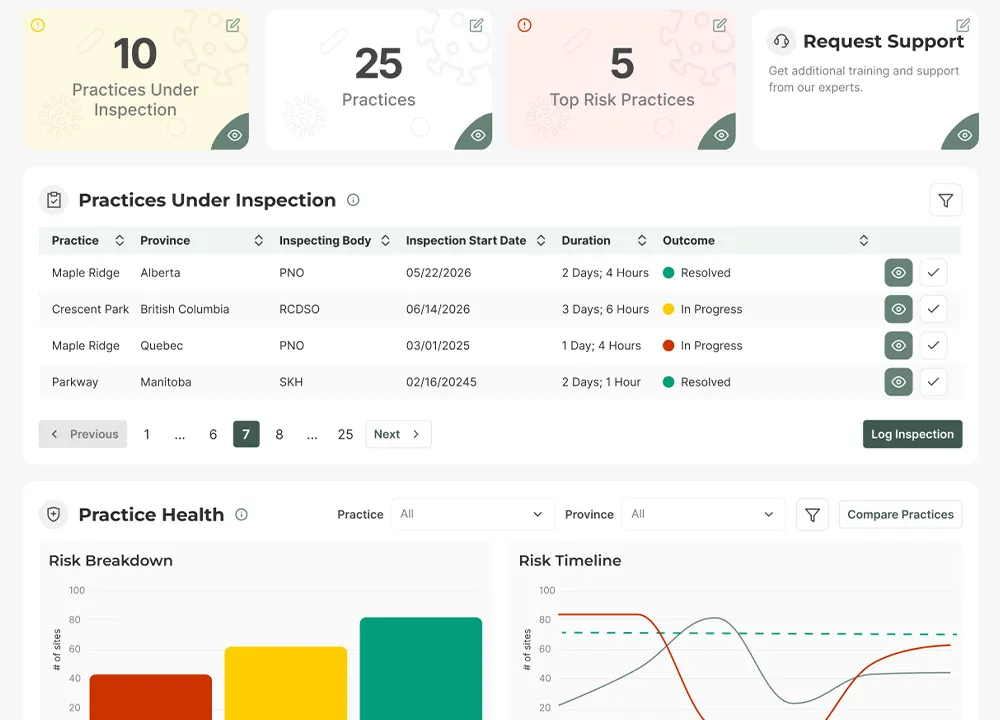
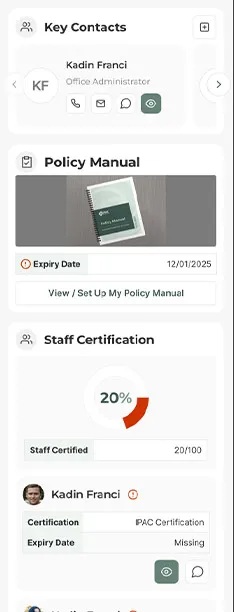
By default, executives can review all their sites or practices' IPAC performance from a high level, such as overall practice health and practices under inspection.
Earlier in the dashboard's life, there were only basic, site-specific views that clients could use. Clients came to us asking to be able to review all their sites at a glance. You can toggle which site you want to view from the sidebar, or filter them within specific cards.
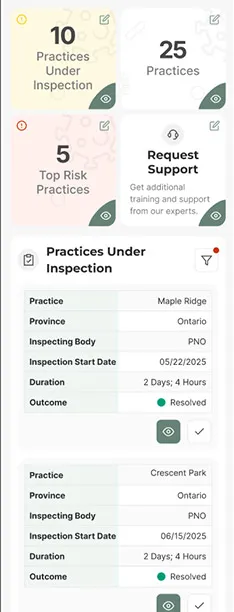
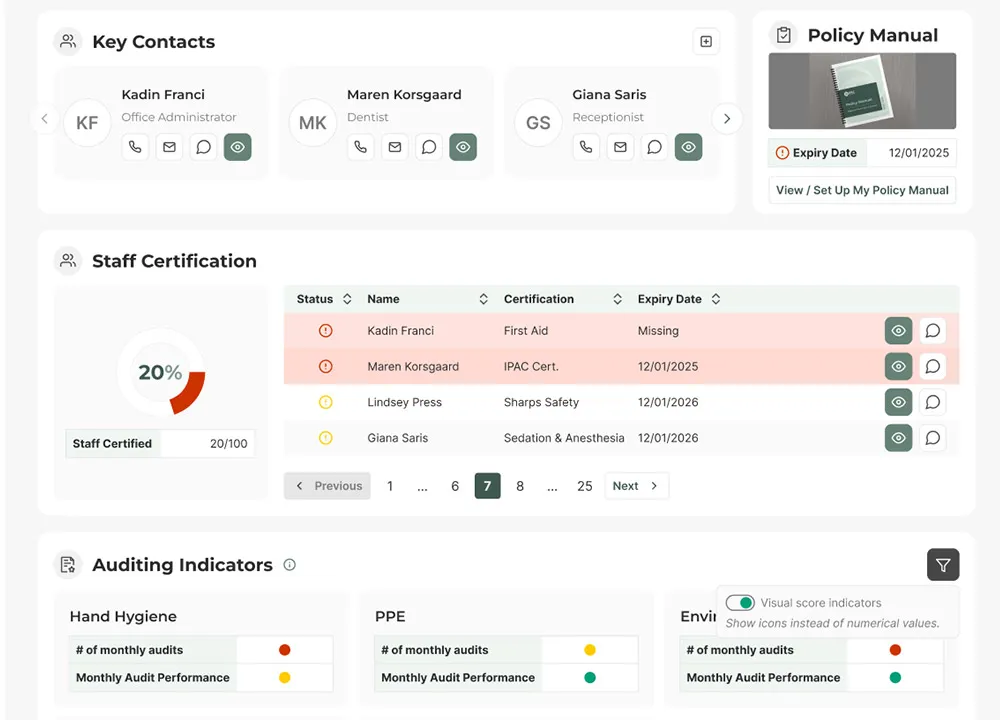
Site leads see region or site-specific data instead, such as who on their team needs to be certified and what their team's auditing indicators are (e.g. making sure all team members are scoring well on audits like hand hygiene).
 Team Management & Education
What is it?
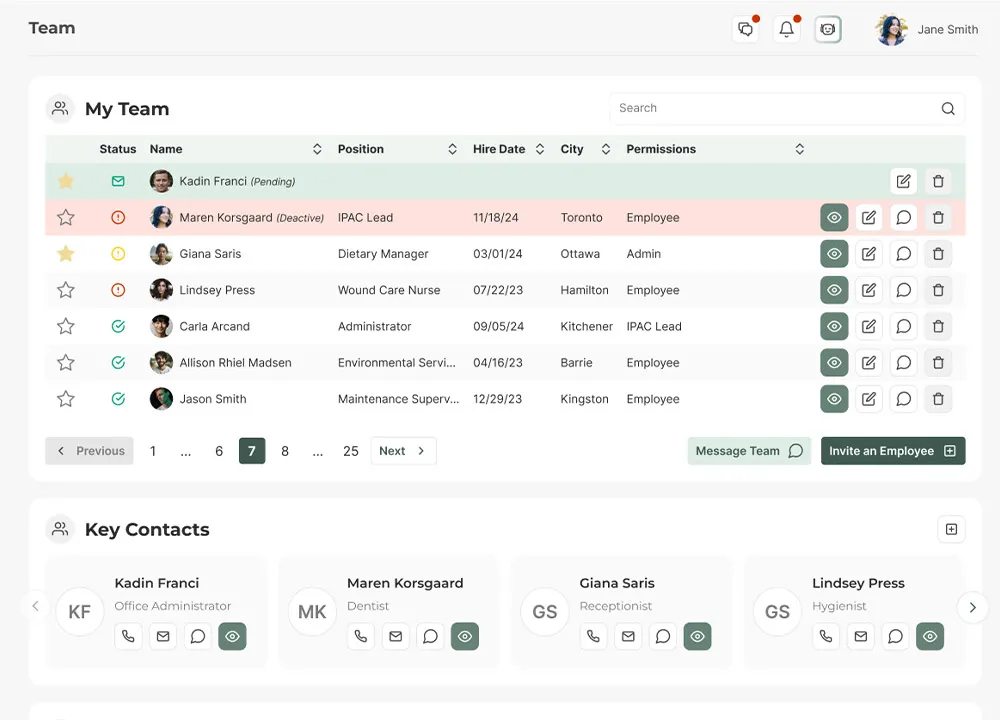
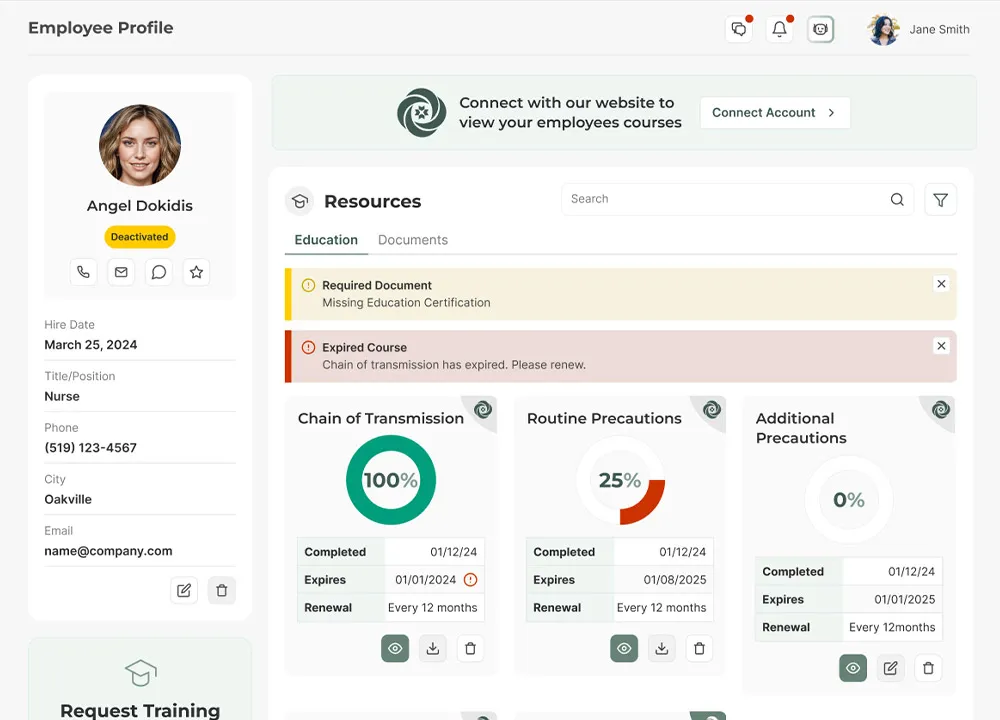
The Team Management & Education tools bring people and training into one place. I structured the experience around real staffing workflows, grouping people by site, role, and responsibilities so IPAC leads can see who is on each team, what they are accountable for, and who is overdue on required education.
Problems
- Staff lists, roles, and training requirements were scattered across emails, spreadsheets, and third‑party LMS tools.
- It was difficult to prove that mandatory education was completed or to quickly see who was overdue.
Solutions
- Centralized team profiles connect roles, locations, and IPAC responsibilities with training records and audit performance.
- Built‑in education tracking shows course completion status, highlights gaps, and supports reminders so teams stay compliant.
Design Evolution
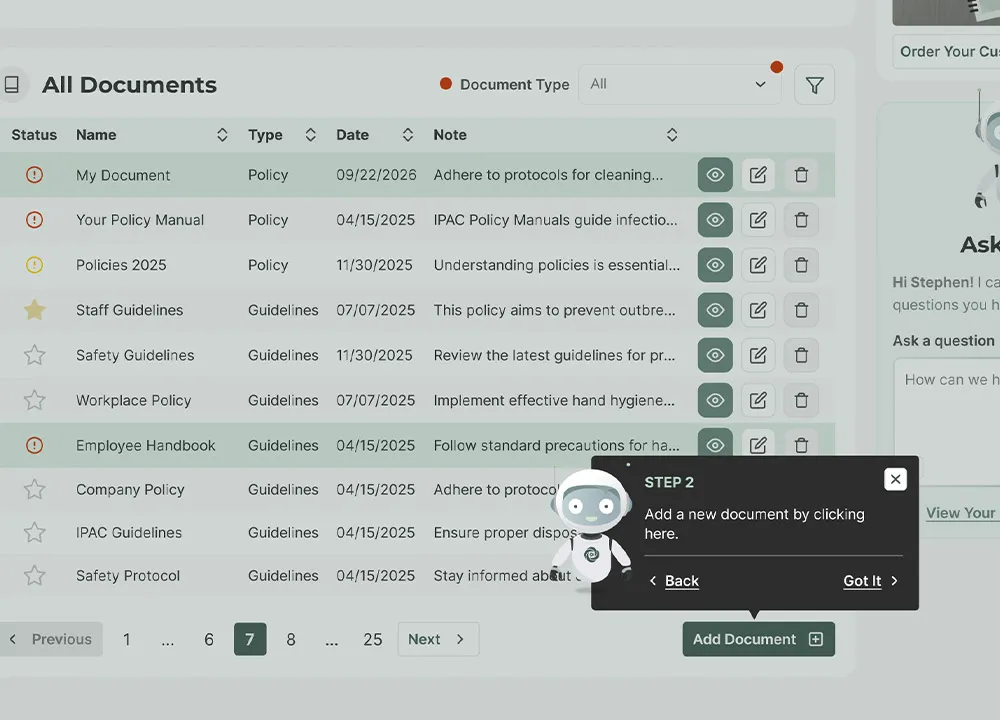
Improved Onboarding
What is it?
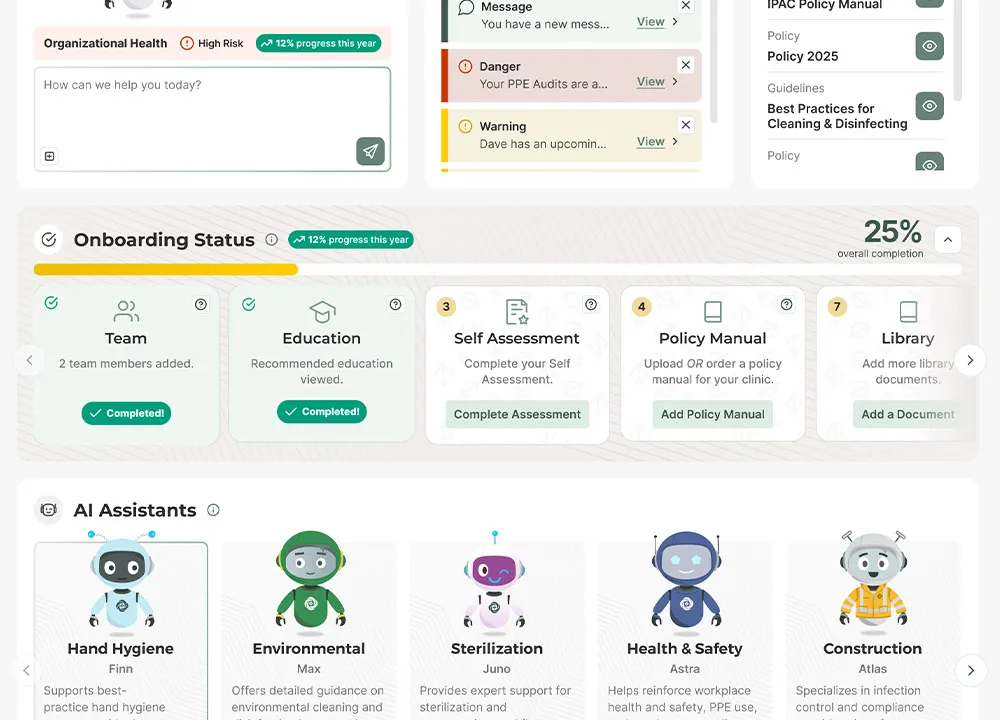
A guided onboarding experience that helps new clients go from sign-up to active use without feeling overwhelmed by everything the dashboard can do. It combines a step-by-step setup flow, in-context tooltips, and a light gamification layer to keep people moving.
Problems
- Usage data showed new clients signing up but not engaging with core features.
- Follow-up conversations surfaced a common answer: "I don't know where to start." The dashboard does a lot, and that breadth was overwhelming out of the gate.
- One-time tutorials weren't sticking — clients needed help in the moment, not up front.
Solutions
- A step-by-step onboarding flow that walks users through setup in the right order.
- Contextual tooltips throughout the dashboard so guidance appears exactly when it's needed.
- A gamification layer — progress bars and achievement badges — to reward milestones and give a sense of momentum.
AI in My Workflow
Gamification in a compliance product was new territory for me, so I used Gemini to accelerate ideation. It suggested tying badges to meaningful milestones and using visual progress indicators. I took those starting points into Figma, iterated, and refined them until they fit our product's tone.
AI is great for the first 30% — breaking default thinking and giving you a starting point. The remaining 70% — the judgment, the craft, the refinement — is still me. That balance is how I use AI across my work.
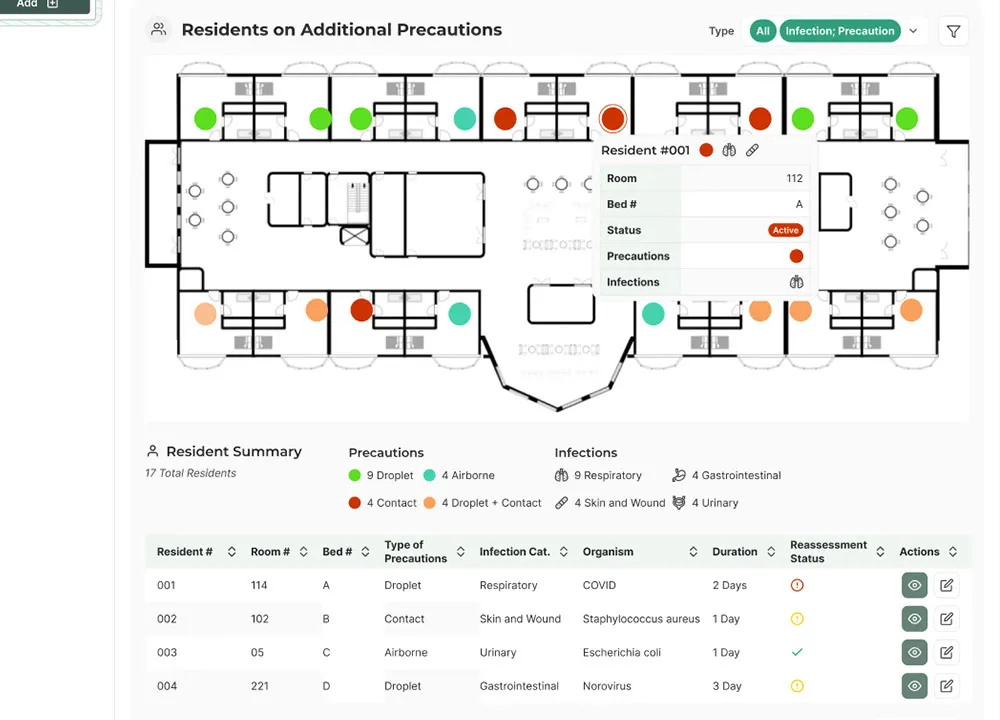
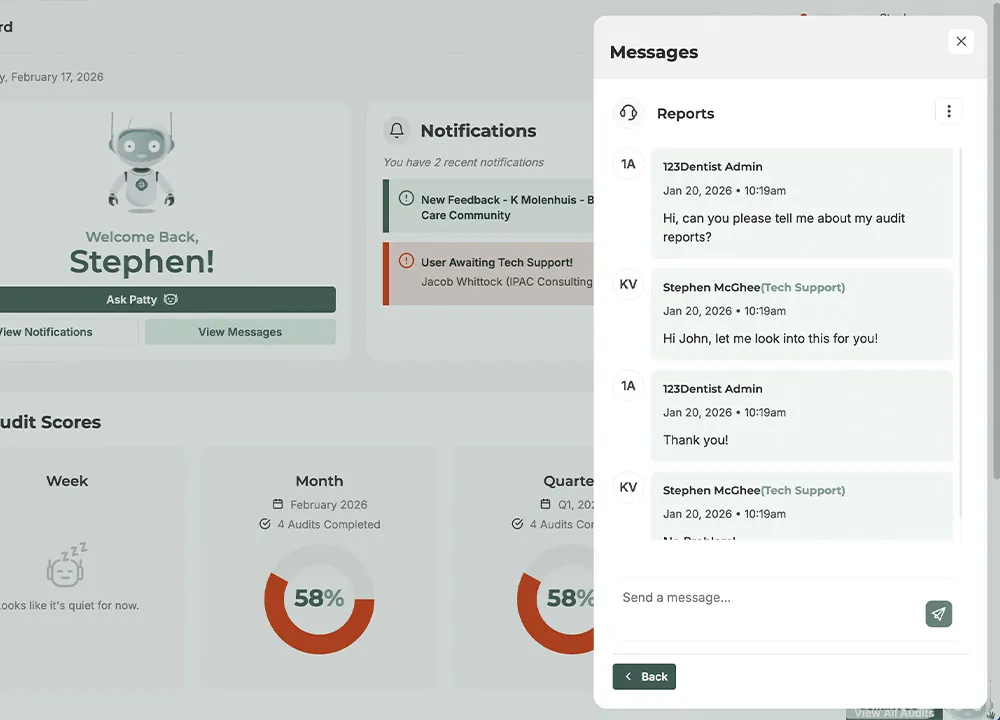
More Designs and Artifacts
“LOVE how simple and easy it is to use — not complicated at all.”
- Iwona, IPAC Lead at Heidehof
Public Showings
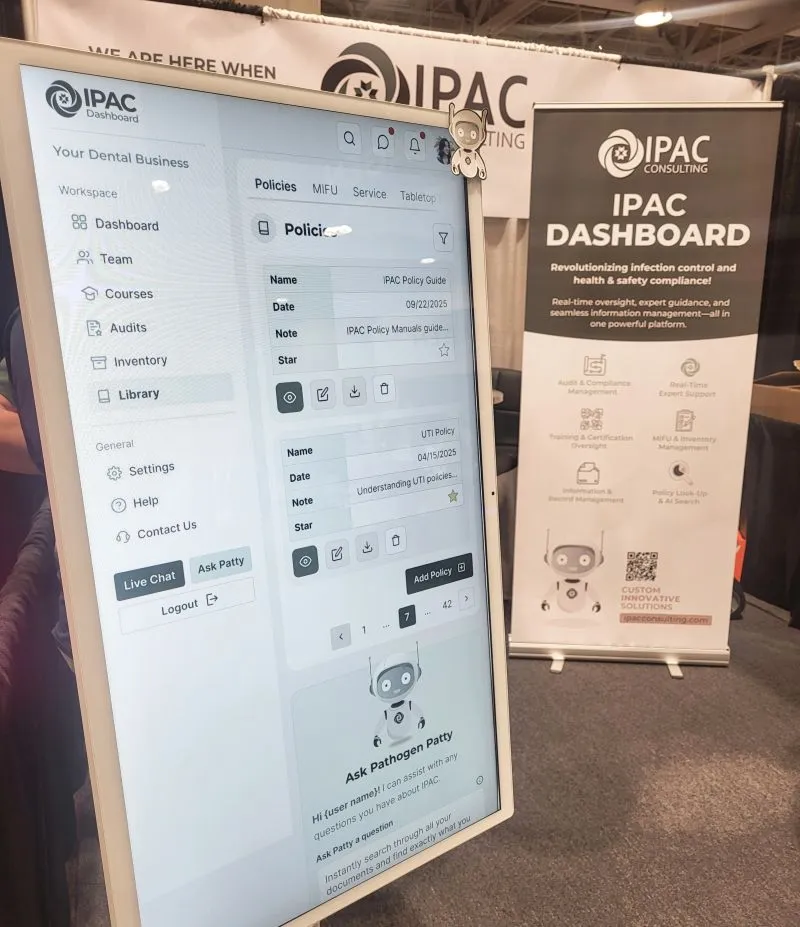
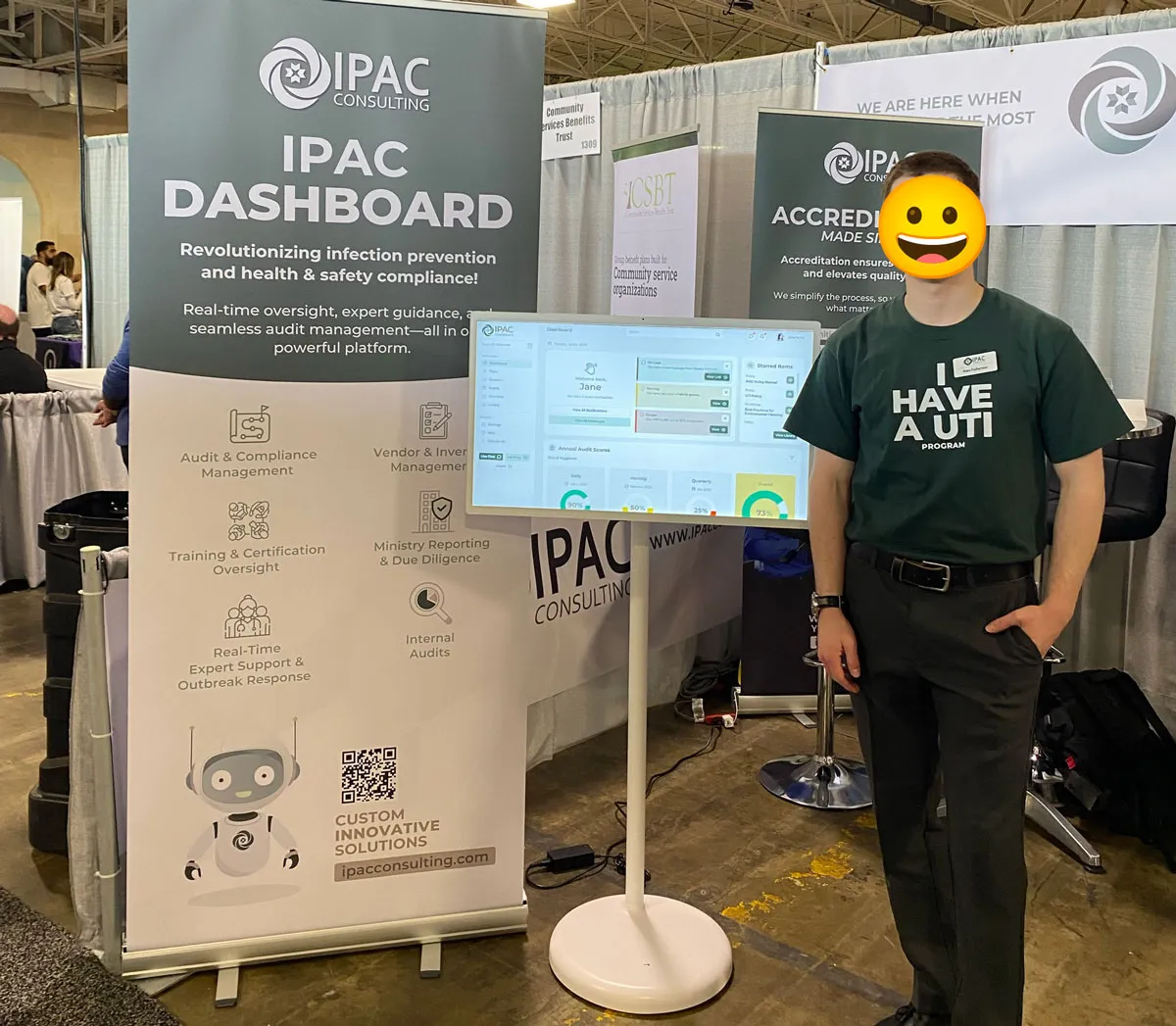
In 2025, we showcased the dashboard at major healthcare events (Together We Care, AdvantAge Ontario, ODA, APIC). I designed kiosk-ready prototypes and iPad demos tailored to event audiences.
Outcome
- Secured first major client: A dental group with 30 practices signed on at an upper five-figure annual contract value following the Beta launch (June 2025)
- Broader client growth: Signed on many smaller individual dental clinics and long-term care homes, building a diverse client base across facility types — validating that the design scales from a single clinic to multi-site groups.
- Launched a comprehensive platform with 200+ design assets across the dashboard application and marketing site
- Validated through user research:50+ pieces of feedback from usability testing with IPAC consultants directly shaped product improvements
- Gaining rapid adoption and continued investment: Strong client base growth secured continued funding for roadmap expansion, including an iOS app, inventory management system, and advanced analytics to further streamline compliance workflows
- Created measurable impact: The platform is transforming how healthcare facilities manage IPAC compliance—reducing administrative burden while improving safety outcomes

What I'd Do Differently
If I could redo one thing, I'd get actual dental clinic staff and long-term care workers into usability testing earlier. I leaned heavily on IPAC consultants as proxies in the early stages — they were invaluable, but they know the domain too well to experience the product the way a new user would.
The onboarding gap we later uncovered would have surfaced sooner if new clients had been in testing from the start. Consultants just intuitively knew where to start; new clients didn't. The lesson I took from this: proxies are useful, but they aren't the real user. Get to the actual user as early as you can — I carry that into every project now.
“I really enjoy this dashboard — the design is clean, intuitive, and very easy to use. The education provided prior to implementation was fantastic, and the team is always quick to respond to any questions I have.”
- Kristi, Director of Nursing at Bay Haven